News

Local RESX Editor version 1.1.0 released!
Monday, July 20, 2026
7/20/202656.10 MB
Download on the
App Store
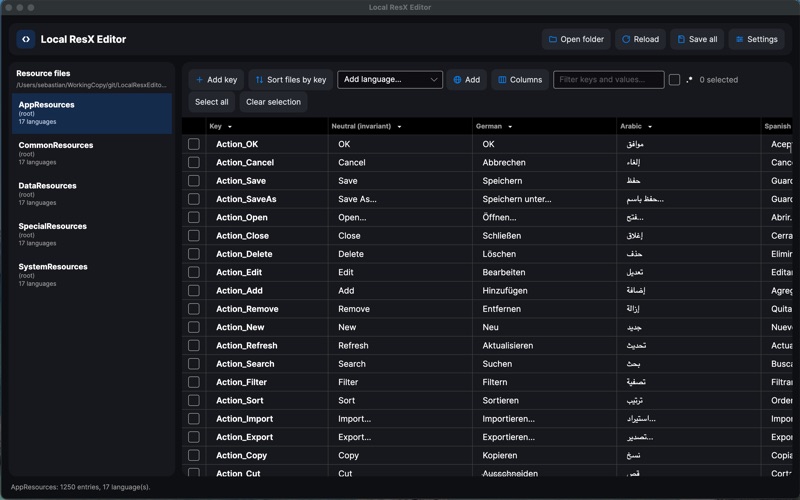
Local ResX Editor is a native Mac app for .NET and MAUI developers who manage application localization. Open any project folder and immediately see all your .resx and .resw resource files organized side by side, across every language, in a fast and fully editable grid.
OPEN A FOLDER, SEE EVERY STRING
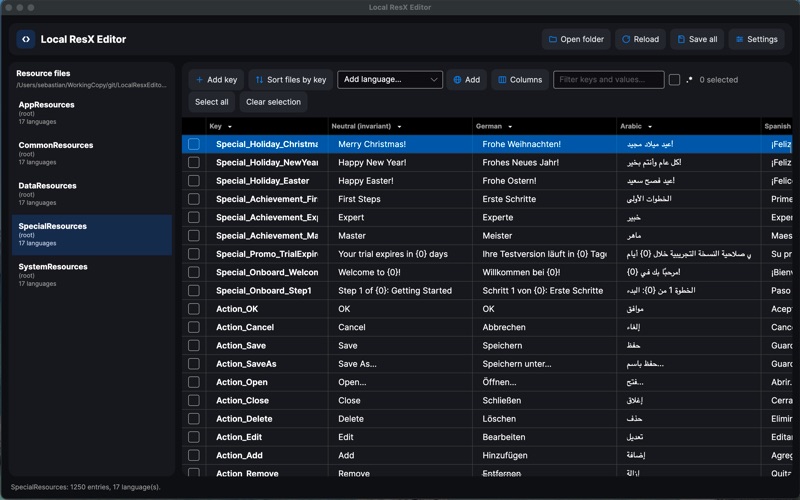
Local ResX Editor scans your project folder recursively, discovers all resource files automatically, and groups each file's language variants together. Strings.resx, Strings.de.resx and Strings.fr.resx become a single resource entry in the grid, with every language as its own column. No more switching between individual files.
EDIT EVERYTHING IN PLACE
Click any cell to edit a translation directly. Add a new key and it appears across every language column instantly. Add a new language and the corresponding satellite .resx file is created automatically when you save. Delete a key and it is removed from every language file simultaneously. Multi-line string values are fully supported with a dedicated multi-line editor per cell.
FULL CONTROL OVER YOUR GRID
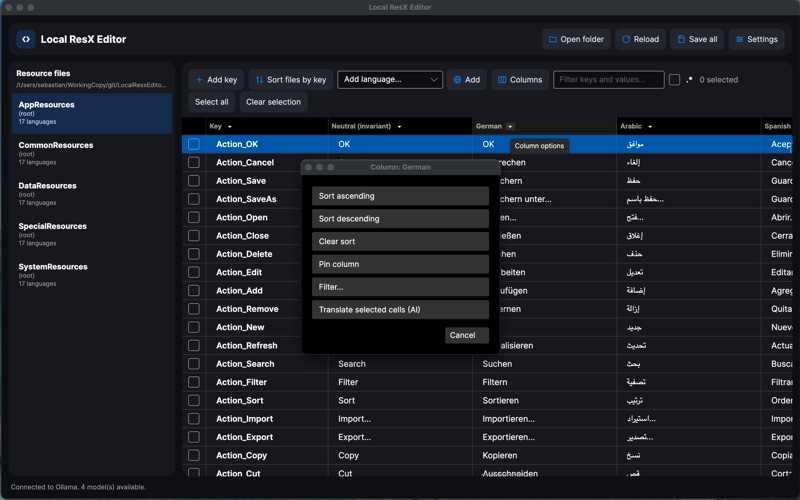
Resize any column by dragging its header edge. Reorder columns to put your preferred language first. Pin the neutral language column — or any column — so it stays frozen and visible while you scroll. Sort any language column ascending or descending to quickly spot untranslated or mismatched strings. The global filter searches across all keys, values and comments simultaneously.
AI TRANSLATION, LOCAL AND PRIVATE
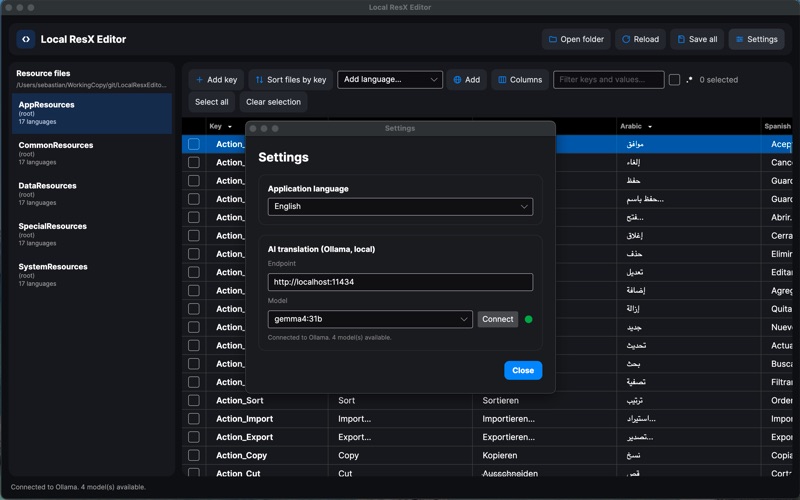
Pair Local ResX Editor with a locally running Ollama instance to fill missing translations automatically. Select a language column, choose Translate empty cells, and your locally installed AI model generates translations from the neutral language. Every inference runs entirely on your Mac — your strings never leave your machine.
FORMAT-PRESERVING SAVES
Each save operation is fully format-preserving: whitespace, comments, XML structure and existing node order are all retained exactly as they were. Only files that have actually changed are written to disk, keeping version control diffs clean. Use Sort by key to physically reorder all data nodes alphabetically across every language file in one step — perfect for large, long-lived projects.
BUILT FOR THE MAC APP SANDBOX
Local ResX Editor runs fully sandboxed within macOS. Your project folder is accessed only after you explicitly grant permission. No background services, no telemetry, no mandatory network access — just your resource files and your editor.
Local ResX Editor is also available for Windows on the Microsoft Store.
OPEN A FOLDER, SEE EVERY STRING
Local ResX Editor scans your project folder recursively, discovers all resource files automatically, and groups each file's language variants together. Strings.resx, Strings.de.resx and Strings.fr.resx become a single resource entry in the grid, with every language as its own column. No more switching between individual files.
EDIT EVERYTHING IN PLACE
Click any cell to edit a translation directly. Add a new key and it appears across every language column instantly. Add a new language and the corresponding satellite .resx file is created automatically when you save. Delete a key and it is removed from every language file simultaneously. Multi-line string values are fully supported with a dedicated multi-line editor per cell.
FULL CONTROL OVER YOUR GRID
Resize any column by dragging its header edge. Reorder columns to put your preferred language first. Pin the neutral language column — or any column — so it stays frozen and visible while you scroll. Sort any language column ascending or descending to quickly spot untranslated or mismatched strings. The global filter searches across all keys, values and comments simultaneously.
AI TRANSLATION, LOCAL AND PRIVATE
Pair Local ResX Editor with a locally running Ollama instance to fill missing translations automatically. Select a language column, choose Translate empty cells, and your locally installed AI model generates translations from the neutral language. Every inference runs entirely on your Mac — your strings never leave your machine.
FORMAT-PRESERVING SAVES
Each save operation is fully format-preserving: whitespace, comments, XML structure and existing node order are all retained exactly as they were. Only files that have actually changed are written to disk, keeping version control diffs clean. Use Sort by key to physically reorder all data nodes alphabetically across every language file in one step — perfect for large, long-lived projects.
BUILT FOR THE MAC APP SANDBOX
Local ResX Editor runs fully sandboxed within macOS. Your project folder is accessed only after you explicitly grant permission. No background services, no telemetry, no mandatory network access — just your resource files and your editor.
Local ResX Editor is also available for Windows on the Microsoft Store.
